How to Log In to Analytic Solver in Excel (Desktop and Cloud)
- Ensure you have an active Analytic Solver license and account credentials (email and password) before proceeding. If you do not have an account, visit the Analytic Solver website to sign up or contact your administrator. Open Excel (Windows Excel, Mac Excel, or Excel Online).
- Open a blank workbook if your Excel doesn't automatically do so.
- Go to the Analytic Solver tab in your Excel Ribbon.

You may notice your Analytic Solver tab is grayed out, as shown below. This is not an issue as you're not logged in yet.
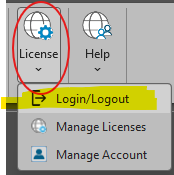
- Click License, then click Login/Logout to log in.
- A sign-in dialog will appear prompting you to enter your email address and password.
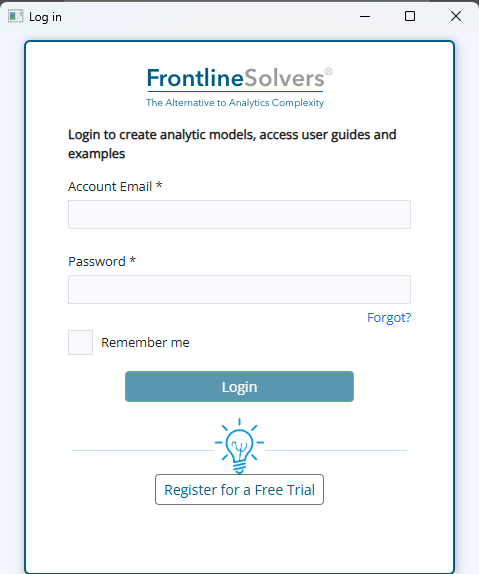
If the dialog does not appear, Analytic Solver has automatically logged you in using your previous session. Once logged in, the Analytic Solver ribbon will become fully active and no longer appear grayed out.